
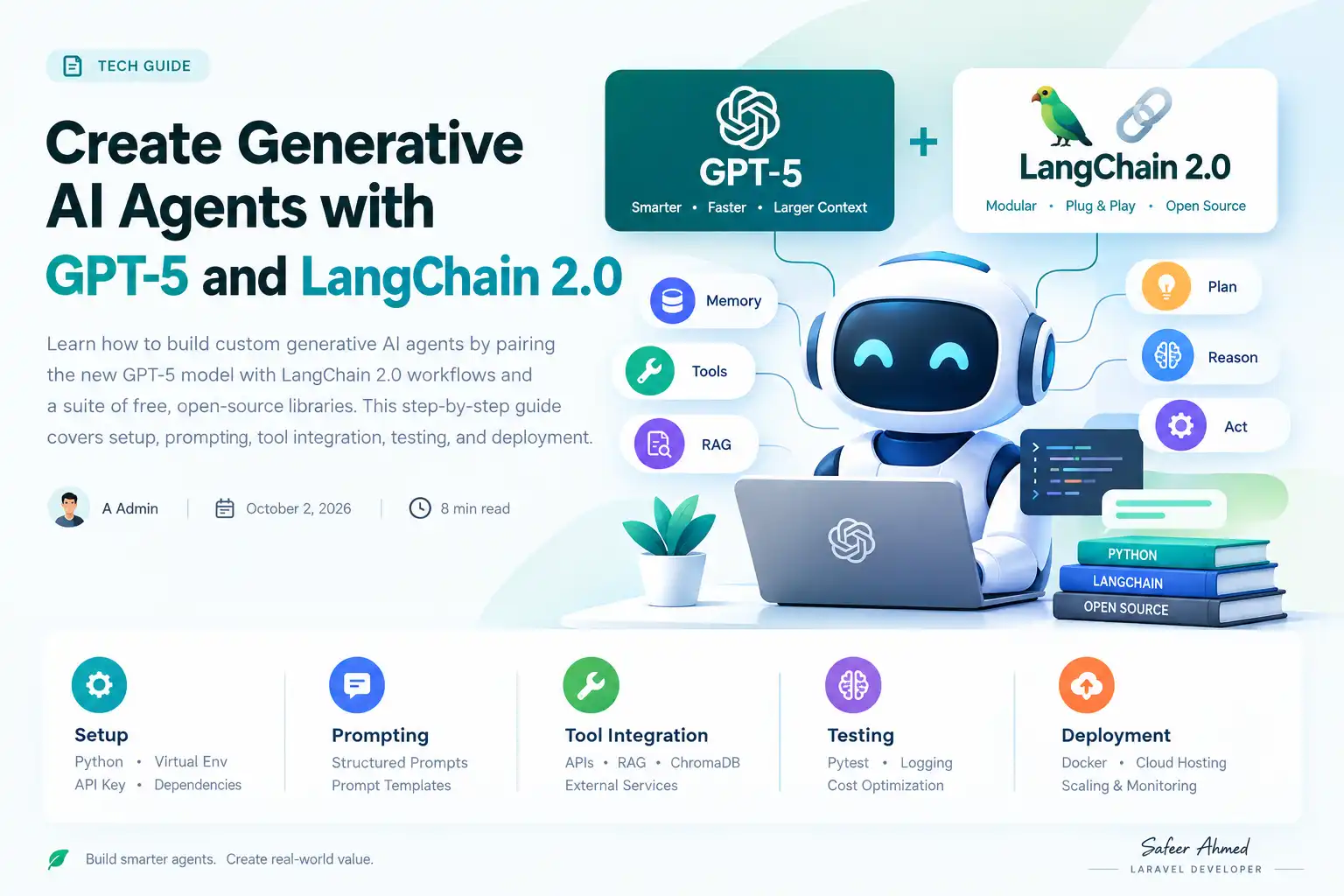
Create Generative AI Agents with GPT‑5 and LangChain 2.0
Learn how to build custom generative AI agents by pairing the new GPT‑5 model with LangChain 2.0 workflows and a suite of free, open‑source libraries. This step‑by‑step guide covers setup, prompting, tool integration, testing, and deployment.
Why GPT‑5 and LangChain 2.0 Matter Now
OpenAI’s GPT‑5 arrived this month with larger context windows, faster inference, and stronger few‑shot reasoning. At the same time LangChain 2.0 introduced a modular, plug‑and‑play architecture that treats LLMs, memory, and external tools as interchangeable components. Together they lower the barrier for building agents that can plan, retrieve, and act in real time, turning experimental demos into production‑ready services.
Beyond the technical upgrades, the market is demanding end‑to‑end AI assistants that can be customized for niche domains—customer support, content creation, data analysis, and more. By combining GPT‑5’s raw generative power with LangChain’s orchestration layer, developers can deliver domain‑specific value without writing massive amounts of glue code.
Prerequisites and Environment Setup
Install Python and a Virtual Environment
All examples assume Python 3.11 or newer. Create an isolated environment to avoid version clashes:
python -m venv ai‑agent‑env
source ai‑agent‑env/bin/activate  # macOS/Linux
.\ai‑agent‑env\Scripts\activate # WindowsGet Access to GPT‑5 via the OpenAI API
You need an API key with GPT‑5 access. Sign in to the OpenAI platform, generate a key, and store it in an environment variable called OPENAI_API_KEY. The key will be read automatically by the official openai Python client.
Install LangChain 2.0 and Key Libraries
Run a single pip command to pull the core framework and the most common integrations:
pip install "langchain[all]" openai chromadb fastapi uvicornThis installs LangChain, the OpenAI provider, a vector store (ChromaDB), and a lightweight web server for later deployment.
It is also good practice to initialise a Git repository and add a CI workflow that runs pytest on every push. Continuous testing catches regressions early, especially when you start swapping out prompts or adding new tools.
Designing Your First Generative Agent
Defining the Agent’s Goal and Scope
Start by writing a concise mission statement. For example, “Help users draft marketing copy based on product details and current trends.” A clear goal guides prompt design, tool selection, and evaluation criteria.
When the scope is well‑defined, you can set measurable success metrics—such as average readability score, brand‑tone compliance, or user‑satisfaction rating—so that later iterations have concrete targets.
Prompt Engineering for GPT‑5
GPT‑5 responds best to structured instructions. Use a system message to set behavior, a user message for the task, and optionally a few examples. Below is a template you can adapt:
system: You are a creative marketing assistant.
user: Write a 150‑word product description for a sustainable water bottle. Highlight eco‑friendly materials and target outdoor enthusiasts.
LangChain’s PromptTemplate class lets you inject variables programmatically, keeping prompts reusable across requests. You can also chain multiple templates—first to gather requirements, then to produce the final copy—using LangChain’s SequentialChain.
Adding Memory and State
Agents often need to remember prior interactions. LangChain offers several memory backends—simple in‑memory, Redis, or vector‑based stores. A typical choice for short sessions is ConversationBufferMemory:
from langchain.memory import ConversationBufferMemory
memory = ConversationBufferMemory(k=5)  # keep last 5 exchanges
For longer‑term context, you can swap in VectorStoreRetrieverMemory, which stores each turn as an embedding and retrieves the most relevant history before each new prompt.
Integrating Open‑Source Tools
Using Retrieval‑Augmented Generation (RAG) with ChromaDB
When the agent must draw on external knowledge, store documents in a vector database and retrieve relevant chunks before prompting. The flow looks like:
- Embed documents with OpenAI embeddings.
- Persist embeddings in ChromaDB.
- Query the store with the user’s question.
- Append the retrieved context to the prompt.
LangChain provides VectorStoreRetriever that encapsulates these steps. You can also enrich the retrieval step with metadata filters—e.g., only fetch articles from the last 30 days—to keep responses timely.
Connecting to External APIs via LangChain Tools
LangChain 2.0 ships with a Tool abstraction that wraps any HTTP endpoint. For a weather lookup, define a simple function and register it:
def get_weather(city: str) -> str:
    # call a free weather API and return a short summary
    ...
weather_tool = Tool(name="Weather", func=get_weather, description="Get current weather for a city")
agent = initialize_agent([weather_tool], llm, agent_type="zero-shot-react-description")
The agent can now decide when to call the tool, retrieve live data, and incorporate it into its response. This pattern scales to any RESTful service—CRM lookup, inventory check, or sentiment analysis—by simply providing a Python wrapper.
Leveraging LLM‑Powered Agents for Decision Making
LangChain’s “React” agents combine reasoning (Thought) and action (Action) in a loop. Each iteration produces a Thought, an optional Action, and an Observation. This pattern enables complex workflows such as:
- Fetching a product catalog, comparing specs, and recommending the best match.
- Generating a draft, sending it to a grammar‑checking service, and refining the output.
- Scheduling a meeting by querying a calendar API and confirming availability.
Because the LLM decides when to invoke a tool, you can build agents that adapt to unexpected user requests without hard‑coding every possible branch.
Security and Privacy Considerations
When your agent calls external services, be mindful of data leakage. Use HTTPS, avoid sending personally identifiable information to third‑party APIs, and consider redacting sensitive fields before logging. LangChain’s callback system allows you to filter out or mask data in real time.
Testing, Debugging, and Optimizing
Logging and Tracing with LangChain’s Callback Handlers
During development, attach a ConsoleCallbackHandler to see each LLM request, tool call, and token usage in real time:
from langchain.callbacks import ConsoleCallbackHandler
handler = ConsoleCallbackHandler()
agent.run("...", callbacks=[handler])
This visibility helps you spot prompt drift, unnecessary API calls, or costly token consumption. For production, replace the console handler with a structured logger that writes to a central observability platform.
Cost Management Strategies
GPT‑5’s larger model can increase usage costs. Mitigate expenses by:
- Setting a max token limit for responses.
- Using a cheaper “fast” endpoint for low‑risk queries.
- Caching retrieval results from the vector store.
- Batching similar requests when possible.
Regularly review the OpenAI usage dashboard and set alerts for unexpected spikes.
Unit Testing with Pytest
LangChain’s components are plain Python objects, so you can write conventional unit tests. Mock the OpenAI client with unittest.mock to verify prompt construction without incurring API costs. Example:
def test_prompt_template():
    tmpl = PromptTemplate.from_template("Write a {tone} email.")
    result = tmpl.format(tone="friendly")
    assert "friendly" in result
Testing the full agent loop can be done with the FakeLLM class that returns deterministic outputs, allowing you to assert that tool selection logic behaves as expected.
Deploying Your Agent
Containerizing with Docker
Package the entire environment into a lightweight Docker image so it runs consistently anywhere:
FROM python:3.11-slim
WORKDIR /app
COPY requirements.txt .
RUN pip install -r requirements.txt
COPY . .
CMD ["uvicorn", "main:app", "--host", "0.0.0.0", "--port", "8080"]
Include your .env file (or secret‑manager reference) for the OpenAI key. Build with docker build -t gpt5‑agent . and run with docker run -p 8080:8080 --env-file .env gpt5‑agent.
Hosting on Cloud Platforms
Popular options include:
- Render or Fly.io for quick deployments with automatic HTTPS.
- AWS Elastic Beanstalk or Google Cloud Run for scalable, pay‑as‑you‑go services.
- Self‑managed Kubernetes if you need fine‑grained control over autoscaling and resource quotas.
All platforms support environment variables, so your API key remains secret. Enable health‑check endpoints (e.g., /healthz) so the orchestrator can restart unhealthy containers automatically.
Performance Tuning and Asynchronous Execution
LangChain’s calls are async‑compatible. By running the LLM request and any external tool calls concurrently, you can reduce overall latency, especially when multiple APIs are needed in a single reasoning step. Example using asyncio.gather:
async def run_agent(query):
    response, weather = await asyncio.gather(
        agent.ainvoke(query),
        get_weather_async(city="Berlin")
    )
    return combine(response, weather)
Profiling with cProfile or a cloud APM helps you identify bottlenecks and allocate appropriate CPU or memory resources.
Next Steps and Community Resources
Once your agent is live, iterate based on user feedback. Consider adding:
- Fine‑tuned prompts or a custom instruction set that captures brand voice.
- Additional tools such as a translation service, PDF parser, or image generator.
- Monitoring dashboards using Prometheus and Grafana to visualise request latency and token usage.
The LangChain community maintains an active Discord, weekly office hours, and a growing collection of example repos on GitHub. Open‑source projects like langchain‑ai/langchain and chroma‑core/chroma are excellent places to find ready‑made components and ask for help.
Finally, keep ethical considerations front‑and‑center. Ensure that generated content respects copyright, avoids disallowed topics, and includes appropriate disclosures when the output is used in a public-facing context.
How do I keep my GPT‑5 usage costs under control?
Set token limits, cache expensive retrievals, use cheaper endpoints for simple tasks, and monitor usage with OpenAI’s dashboard. Combining these tactics lets you stay within budget while still delivering rich responses.
Related posts
View allLeveraging GPT‑4 Turbo for Real‑Time Customer Support Automation
Discover a step‑by‑step guide to integrate OpenAI’s GPT‑4 Turbo into ticketing platforms, enabling fast, cost‑effective real‑time support while scaling smoothly as demand grows.
Building Multi‑Modal AI Assistants with OpenAI’s GPT‑4 Turbo: A Step‑by‑Step Guide
OpenAI’s GPT‑4 Turbo now supports images, enabling developers to craft multi‑modal AI assistants that boost productivity. Follow this practical guide to integrate vision, text, and tool use into your apps today.
Turbocharge Your Small Business with OpenAI’s GPT-4 Turbo API
Discover how small businesses can integrate OpenAI’s new GPT-4 Turbo API to automate routine tasks, cut costs, and boost productivity—step by step.
Comments (0)
Be the first to share feedback on this post.