
Zero‑Trust Playbook: Safeguarding Remote Teams from the New Ransomware Wave
A step‑by‑step guide helps IT leaders deploy zero‑trust controls that protect distributed workforces against today’s ransomware threats.
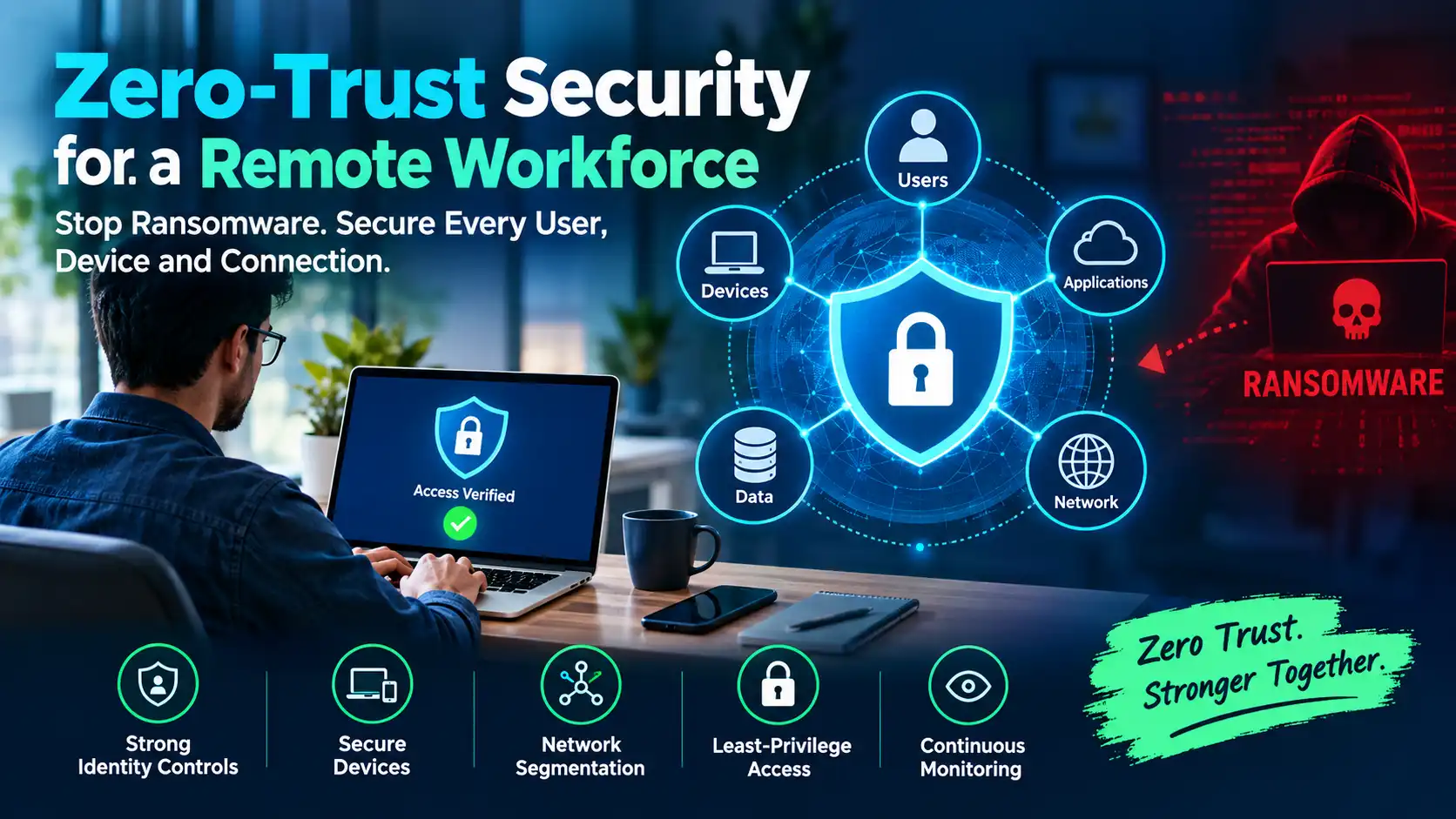
Remote work has become the default, but the convenience it offers also expands the attack surface that ransomware gangs love to exploit. The latest high‑profile ransomware incidents—targeting cloud‑based file shares, VPN gateways, and unmanaged laptops—have shown that traditional perimeter defenses are no longer sufficient. Zero‑trust security, with its focus on verifying every request regardless of location, provides the framework IT leaders need to secure a dispersed workforce without stifling productivity.
Why Zero‑Trust Is Critical After the Ransomware Surge
The ransomware threat landscape for remote work
Ransomware operators have refined their playbook. They often start with a phishing email or a compromised remote‑access credential, then move laterally across a network that trusts any device on the corporate LAN. When employees work from home, VPNs and cloud portals become the new perimeter, and misconfigured access policies give attackers a shortcut to critical data. The result is faster encryption, higher ransom demands, and longer recovery times.
Core principles of zero‑trust
Zero‑trust rests on three immutable pillars:
- Never trust, always verify: Every connection—whether from a laptop, a mobile phone, or a server—must be authenticated and authorized.
- Least‑privilege access: Users and devices receive only the permissions they need for the task at hand, and those permissions are continuously re‑evaluated.
- Assume breach: Security controls are designed to limit damage, isolate compromised assets, and provide rapid detection and response.
When these pillars are applied to a remote workforce, the organization gains visibility into who is accessing what, from where, and on which device, dramatically reducing the ransomware attack surface.
Step‑by‑Step Playbook for Deploying Zero‑Trust
1. Map the attack surface
Start with an inventory of every user, device, application, and data repository that remote workers touch. Use identity‑and‑access management (IAM) logs, endpoint management tools, and cloud usage reports to build a real‑time map. Identify high‑value assets—financial records, intellectual property, backup stores—and note how they are accessed today.
2. Enforce strong identity controls
Identity is the new perimeter. Deploy multi‑factor authentication (MFA) for all remote access points, including VPNs, SaaS portals, and privileged accounts. Adopt adaptive authentication that evaluates risk signals such as location, device health, and login behavior. Where possible, integrate a single sign‑on (SSO) solution that supports conditional access policies.
3. Secure device posture
Every device that connects to corporate resources must meet a baseline security posture. Leverage a unified endpoint management (UEM) platform to enforce OS patching, disk encryption, and anti‑malware signatures. Use a zero‑trust network access (ZTNA) gateway that checks device compliance in real time before granting network connectivity.
4. Segment network and data
Replace flat VPN tunnels with micro‑segmented zones. Use software‑defined perimeters to create logical segments for different data classifications—e.g., finance, HR, engineering. Apply policy‑driven firewalls that allow traffic only between zones that have a legitimate business need. This limits lateral movement, a key vector for ransomware.
5. Apply least‑privilege access
Implement role‑based access control (RBAC) and, where feasible, attribute‑based access control (ABAC). Grant permissions for the shortest duration required; use just‑in‑time (JIT) access for privileged tasks. Regularly review and revoke stale accounts, especially those belonging to contractors or former employees.
6. Continuous monitoring and response
Deploy a security‑information and event‑management (SIEM) system that aggregates logs from identity providers, endpoint agents, and ZTNA gateways. Enable automated detection rules for ransomware indicators—unusual file encryption activity, rapid credential changes, or outbound traffic to known malicious domains. Pair SIEM alerts with an orchestration platform that can isolate compromised devices instantly.
Common Pitfalls and How to Avoid Them
Over‑engineering vs. business agility
It’s tempting to lock down every resource with granular policies, but excessive friction can drive users to bypass controls. Prioritize critical assets first, then expand coverage iteratively. Involve business units early to align security policies with real‑world workflows.
Ignoring user experience
Ransomware attacks often succeed because users seek convenience over security. Provide clear guidance, self‑service password resets, and single sign‑on experiences that keep security invisible to the end‑user. When security feels like a hurdle, compliance drops.
Tools and Technologies to Accelerate Adoption
- Identity‑as‑a‑Service (IDaaS) platforms such as Azure AD, Okta, or Google Workspace for SSO and conditional access.
- Zero‑Trust Network Access (ZTNA) solutions like Zscaler Private Access, Palo Alto Prisma Access, or Cisco Duo Beyond.
- Unified Endpoint Management (UEM) tools such as Microsoft Endpoint Manager, VMware Workspace ONE, or Jamf for macOS devices.
- Micro‑segmentation products from vendors like Illumio, Guardicore, or VMware NSX.
- SIEM and security orchestration platforms such as Splunk, Sentinel, or Elastic Security.
Checklist for IT Leaders
- Complete an inventory of users, devices, applications, and data stores used remotely.
- Enable MFA on all remote access points and adopt adaptive authentication.
- Deploy a UEM solution to enforce device compliance before granting network access.
- Replace flat VPNs with ZTNA gateways that enforce per‑session policies.
- Implement RBAC/ABAC with just‑in‑time privileges for privileged tasks.
- Segment networks and data stores into logical zones with strict traffic controls.
- Integrate logs into a SIEM and set up ransomware‑specific detection rules.
- Automate response actions to isolate compromised devices within minutes.
- Conduct quarterly reviews of access policies and decommission stale accounts.
- Educate remote workers on secure habits and provide a clear channel for reporting suspicious activity.
How quickly can a zero‑trust framework be rolled out for a remote workforce?
The timeline varies by organization size and existing tooling, but a phased approach can deliver core protections in 30‑60 days. Start with identity hardening (MFA, SSO), then add device compliance checks, followed by network segmentation and continuous monitoring.
Related posts
View allPassword Generator: How to Create a Strong Password
Reused passwords are the easiest way into an account. Generate a long random password or a memorable passphrase and store it properly.
Zero‑Trust Network Access for Remote Teams: A Practical Open‑Source Guide
Learn how small‑to‑medium businesses can adopt open‑source Zero‑Trust solutions to protect distributed workforces with minimal cost and complexity.
Deploy a Secure Zero‑Trust Network for Hybrid Teams with Cloudflare ZTNA
Learn how to build a high‑performance, cloud‑native zero‑trust perimeter for remote and on‑site staff using Cloudflare ZTNA, step by step.
Comments (0)
Be the first to share feedback on this post.